Give it a try
- Open the PDF editor and choose Try the sample.
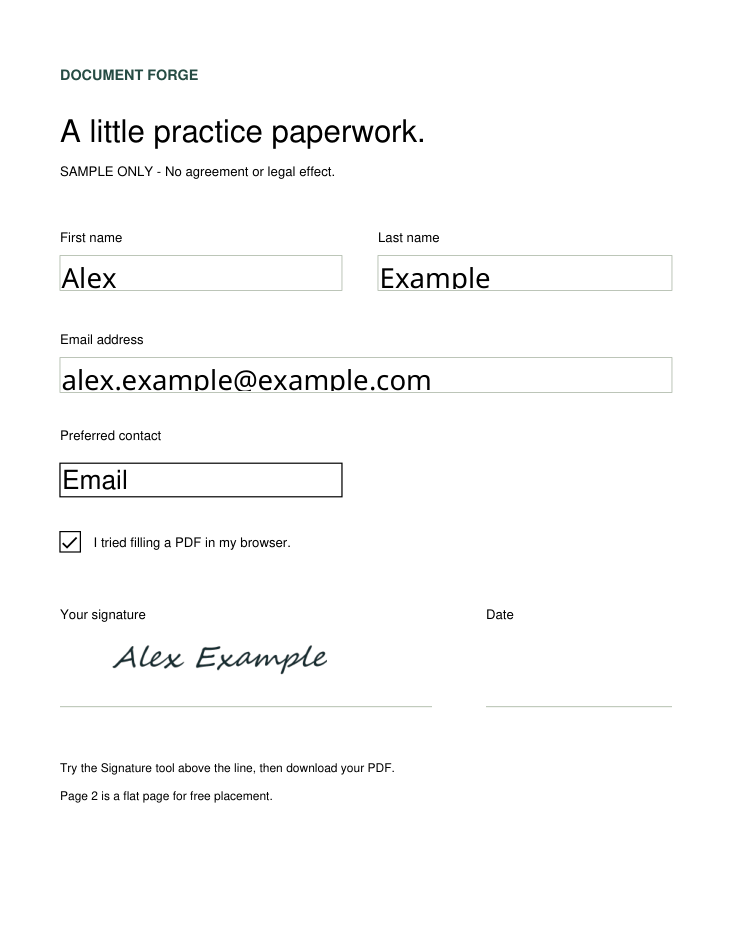
- Enter Alex for First name, Example for Last name, and alex.example@example.com for Email address. Tick the practice checkbox.
- Choose Signature, type Alex Example, and place it above the signature line.
- Choose Review & download. Check both pages, then choose Prepare PDF.
- Open the saved PDF and check your entries and signature. If the download does not start, choose Save prepared PDF.
Check the saved PDF before sending it to anyone.
See a completed example
This copy was exported from the real editor with the fictional details above. It is a still example, not a video. Download the completed sample PDF.